


Product Description

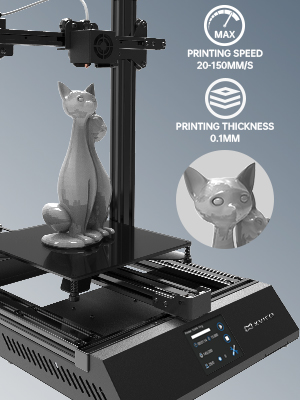

Product advantages:
- Simple Assembly
- Power Failure Recovery
- High Quality Extrusion
- Marlin2.0 System
- HD Touch Display Screen
- Large Printing Space
- Fully Equipped
XVICO X3s 3D Printer Fast To Assemble, Equipped With Marlin2.0 System
Brand: XVICO
Printing Technology: FDM ( Fused Deposition Modeling )
Build Size: 220x220x250 (mm)
Positioning Accuracy: X/Y 0.012mm, Z 0.004mm
Extruder Quantity: Single
Nozzle Diameter: 0.4 mm
Nozzle Working Temperature: Maximum temperature 250℃
Hot Bed Temperature: Maximum temperature 100℃
Temperature control with magnetic platform recommendations in 50-60℃, the highest temperature 70℃
Platform Calibration Type: Manual leveling, you can purchase tools to upgrade to 3d touch automatic leveling
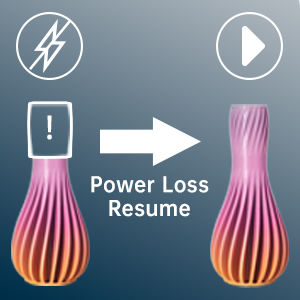
Power Loss Resume
Even if the power supply is interrupted or there is a failure, X3s can resume printing. Only one click can continue printing from the last recorded extruder position.
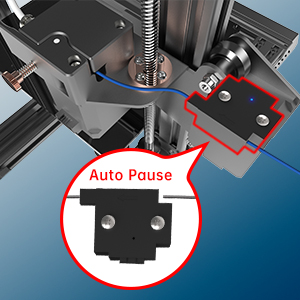
Smart Filament Detection Sensor
When the filament is exhausted or broken, the printer will automatically pause to protect your model and save time and money.
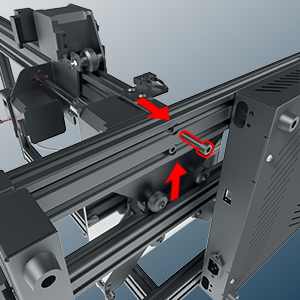
Assemble An X3s Printer In Ten Minutes
Insert the M5 * 20 screws into the slots on both sides of the rack, and tighten the nuts on each side to connect the bottom frame and the gantry frame.
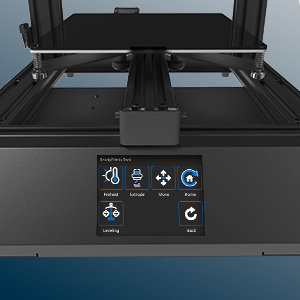
2.8in HD Touch Screen
Simple UI interface, simple and quick operation. And supports multiple national languages: English, German, Spanish, Italian, Russian, Chinese. Let more 3d enthusiasts use our X3s printer.
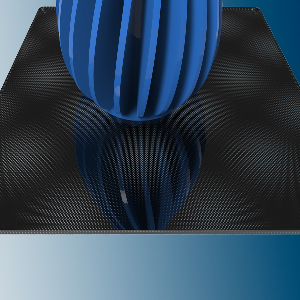
Composite Coating Lattice Glass
XVICO X3s printer uses lattice glass platform, which has good heat resistance and high stability. When the hot bed is heated, the object has strong adhesion, and the platform can be easily taken out after cooling.
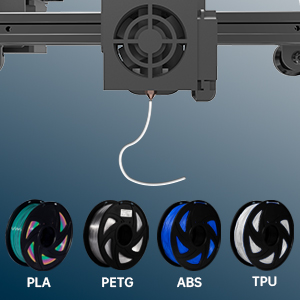
Support Multiple Materials
X3s supports 1.75mm PLA, PETG, ABS, TPU and other filaments.

Develop Personal Hobbies
The model in the picture uses XVICO white PETG filament.

Holiday Gifts: enhance families or friends relationships

Ldeal Choice For STEM Projects: lead children to explore the 3d world
Related products


Arduino interface Module


Arduino interface Module


Arduino interface Module


Arduino interface Module
3.7V 3A LI-ION LITHIUM BATTERY 18650 CHARGER OVER CHARGE PROTECTION BOARD

Arduino interface Module


Arduino interface Module




Arduino interface Module

Arduino interface Module
Micro SD Card TF Card Module SPI Interface for Arduino, PIC, AVR, ARM

Arduino interface Module